
Wait for Connections Block
The Wait for Connections block pauses execution until all connected upstream branches have completed before proceeding. Use it when your workflow has parallel branches that need to converge at a single point.
Timeout (second)
Set the duration the node waits for all threads to complete execution, default is 10 seconds. When the wait time is reached, the process will continue executing the next node.
Only continue a specific flow
Whether to continue only a specific flow.
When you have a branching node as shown in the image above, Automation will create a new "Thread" for each new branch tasked with executing the nodes on that branch.
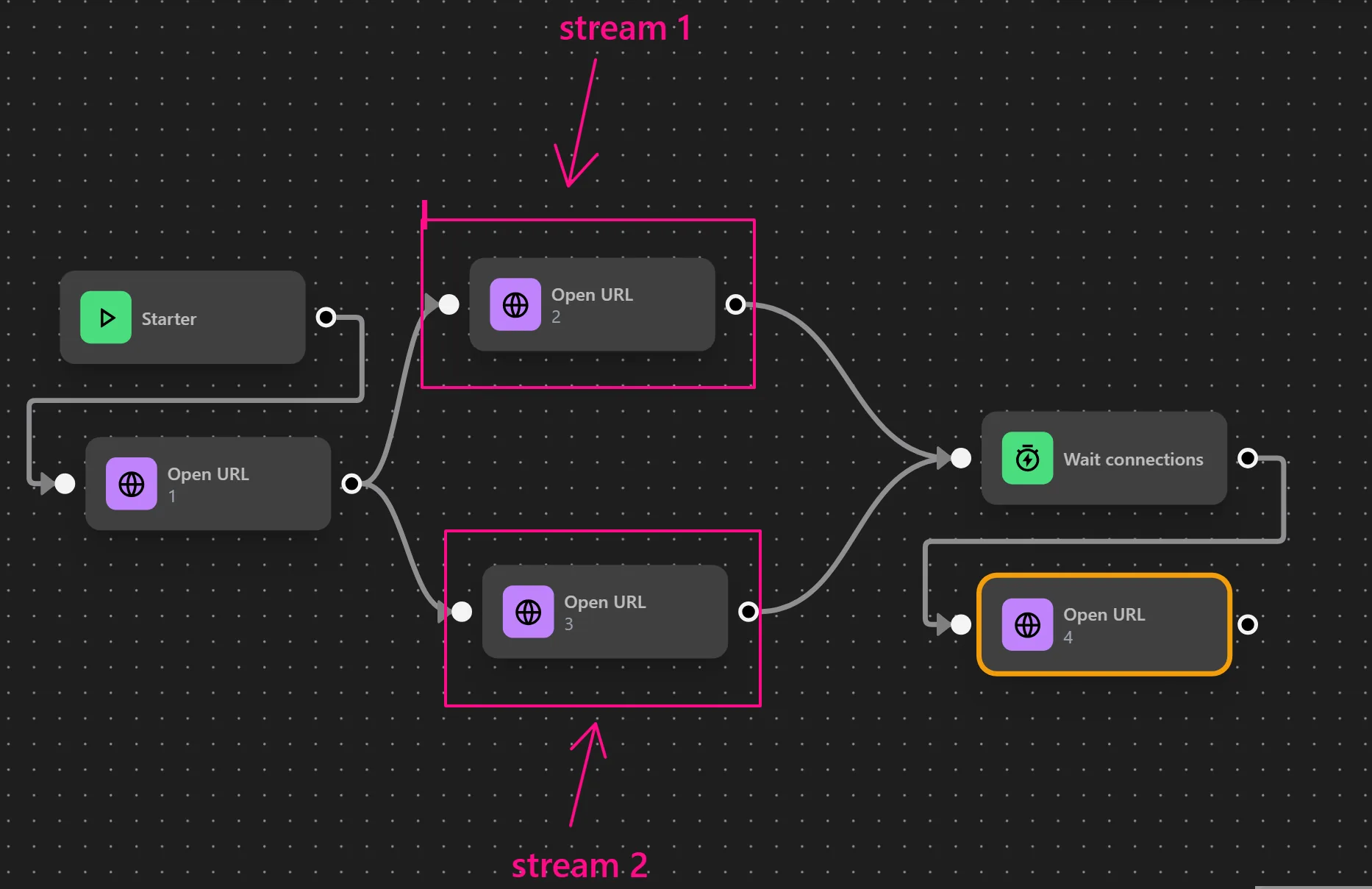
When merging branches without enabling this option, all threads will execute the same node, resulting in duplicate executions.
To prevent this, select the `Only continue a specific flow` option and choose one of the current threads.As shown in the example below, you can select one of the two tab-opening threads to execute, ensuring only the chosen thread runs instead of both threads simultaneously.
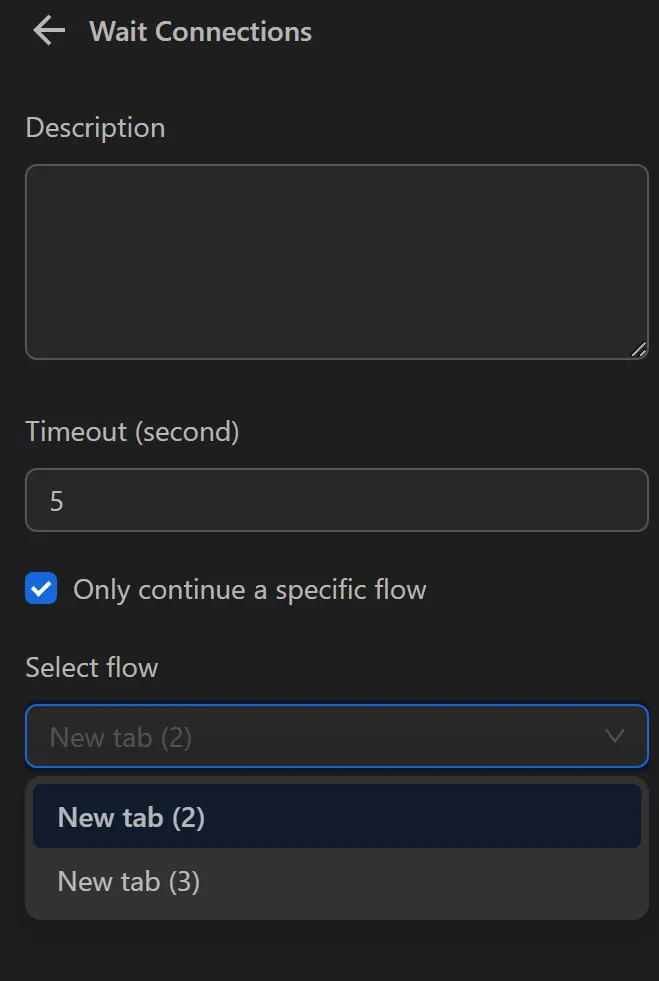
When running, the thread opening New tab(3) that was selected will proceed to the next Open URL node.