
Import Tonkeeper Wallets in Bulk
Manage hundreds of Tonkeeper wallets efficiently with Omnilogin's bulk import tool. Load wallets via seed phrase, check existence and status, and sync instantly across profiles - essential for TON mini-app management and DeFi participation.
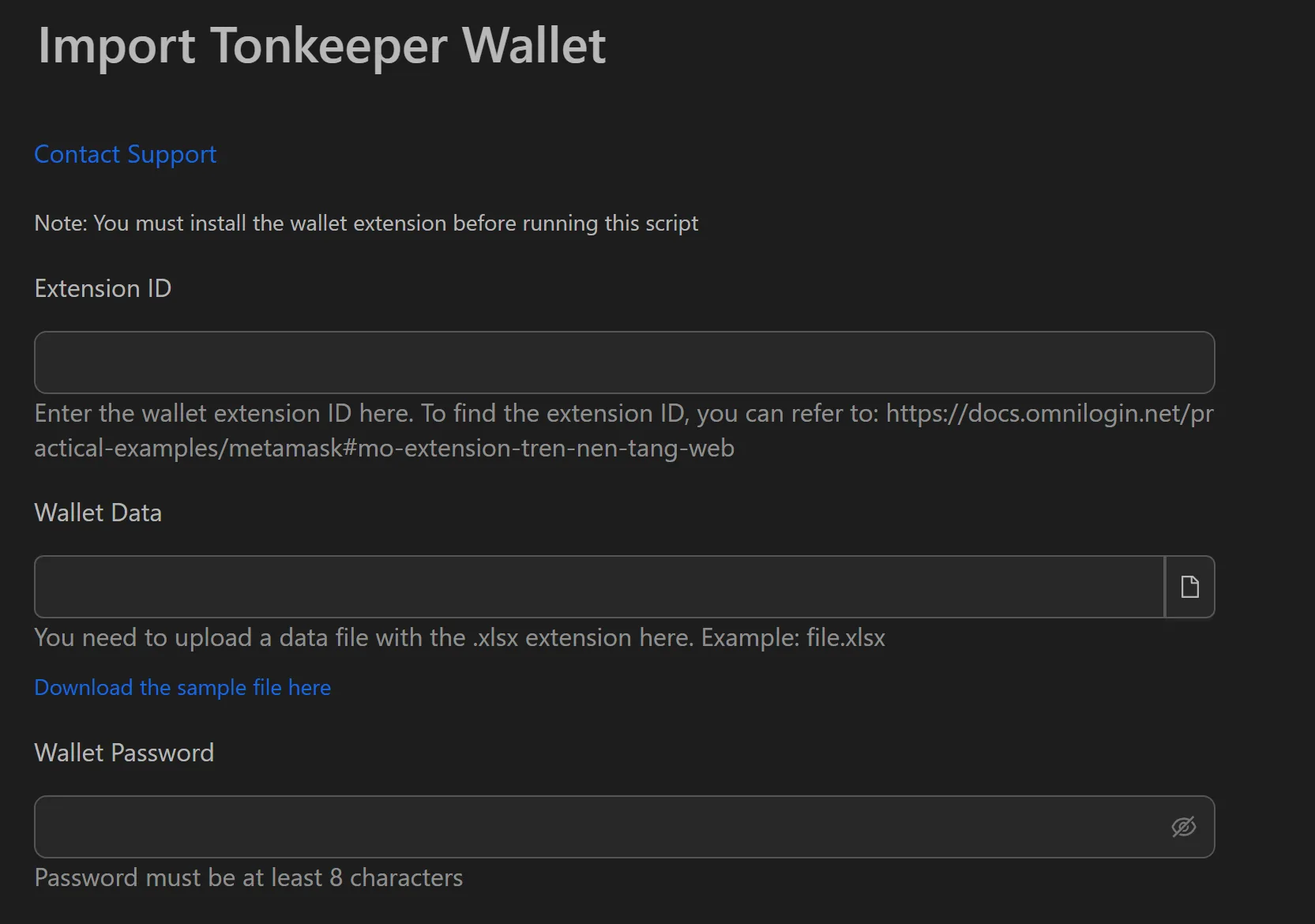
How to Import Tonkeeper Wallets
- Prepare an
.xlsxfile with one seed phrase (12 or 24 words) per line. - Open the import tool and load your
.xlsxfile. - Set the Number of concurrent profiles for multi-threaded processing.
- Click Start and wait for the tool to finish.
- Review the status notifications:
Import successfulorwallet already imported.
Key Features
- Seed phrase import - Bulk load wallets from an
.xlsxfile using recovery phrases. - Multi-threading - Process hundreds of wallets simultaneously, cutting preparation from hours to minutes.
- Status notifications - Each wallet returns a clear result so you know exactly what succeeded or needs attention.
- Existence checks - Automatically detects if a wallet is already imported to avoid duplicates.
Practical Use Cases
- TON mini-app grinding - Load and classify hundreds of wallets for Tap-to-Earn games like Hamster Kombat, Catizen, or Blum.
- Airdrop preparation - Quickly verify wallet balances and readiness before token launch interactions.
- Fund distribution - Import recipient wallet lists and validate them before sending tokens.
Tip: Pair this tool with installing extensions to set up Tonkeeper across all profiles, or see creating Tonkeeper wallets if you need new wallets first.