
Keep Profiles Running 24/7
Keep browser profiles active around the clock by auto-opening URLs and maintaining sessions. Built for DePIN farming projects like Grass that require continuous browser connections to earn rewards.
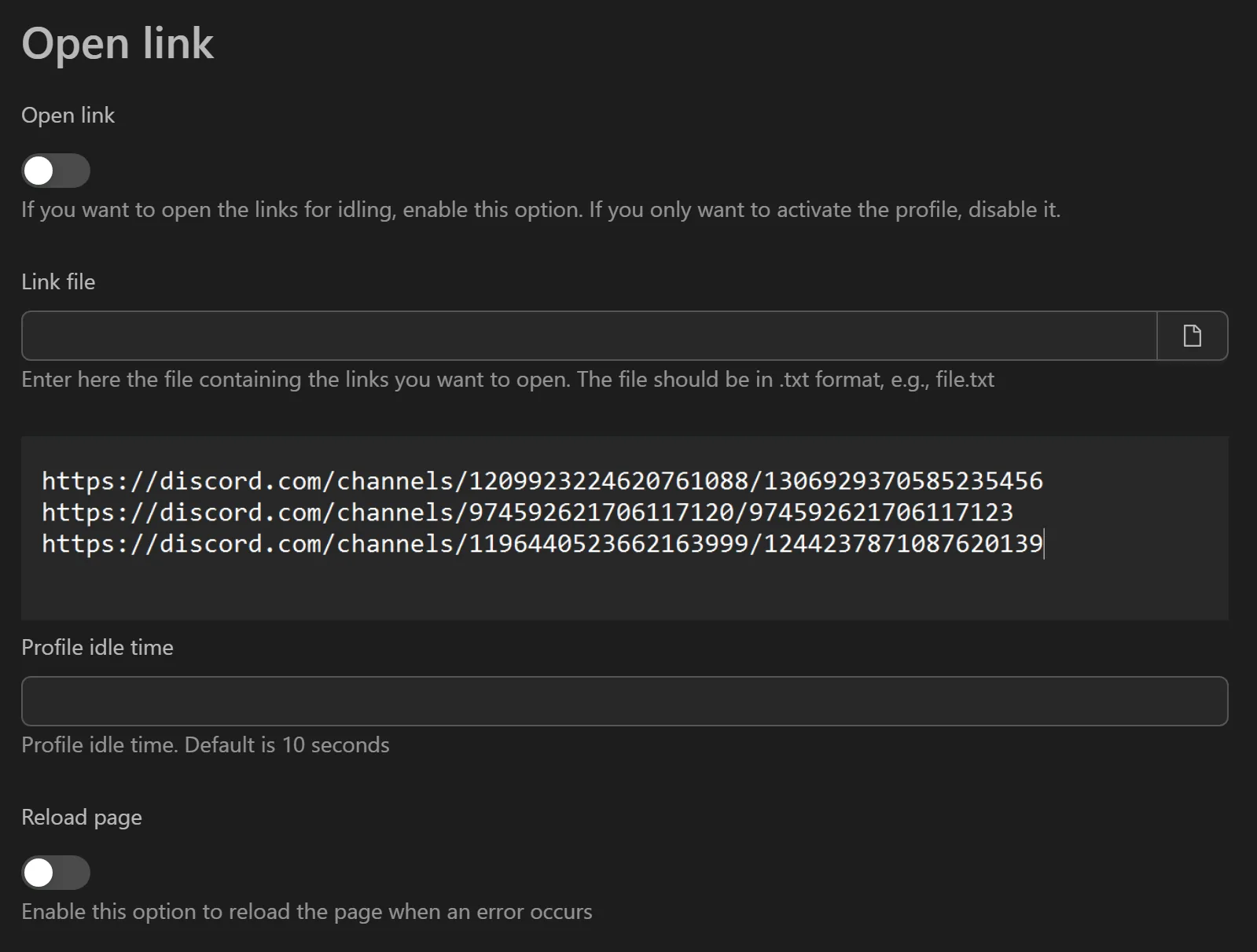
How to Keep Profiles Running
- Create a
.txtfile with the URLs to open (one per line). - Open the tool and provide the path to your
.txtfile. - Set the Number of concurrent profiles (e.g., 20 threads for 200 profiles).
- Click Start.
- The tool opens each URL in the assigned profile, waits for full page load, and confirms the connection.
Key Features
- Bulk URL opening - Reads a list of URLs from a text file and opens them across all selected profiles.
- Load validation - Waits for each page to fully load and stabilize before proceeding.
- Multi-threading - Activate hundreds of profiles simultaneously with configurable thread count.
- Minimal interface - Focused on one task: keeping sessions alive with no unnecessary options.
Practical Use Cases
- DePIN farming (Grass, etc.) - Open the Grass dashboard on all profiles to start earning bandwidth-sharing rewards.
- Session recovery - After a power outage or restart, re-activate all active tabs across profiles with a single run.
- Profile warm-up - Open common websites (Google, YouTube, Facebook) to build natural browsing history on new profiles.
Tip: Make sure extensions are installed first using the install extension tool.