
While Loop Block
The While Loop block repeatedly executes connected nodes as long as a specified condition is true.
When the condition is met, the workflow follows the first output and loops back. When the condition is no longer met, the workflow follows the Fallback output and continues.
Open the condition builder page to learn how to create a condition.
Practical Example
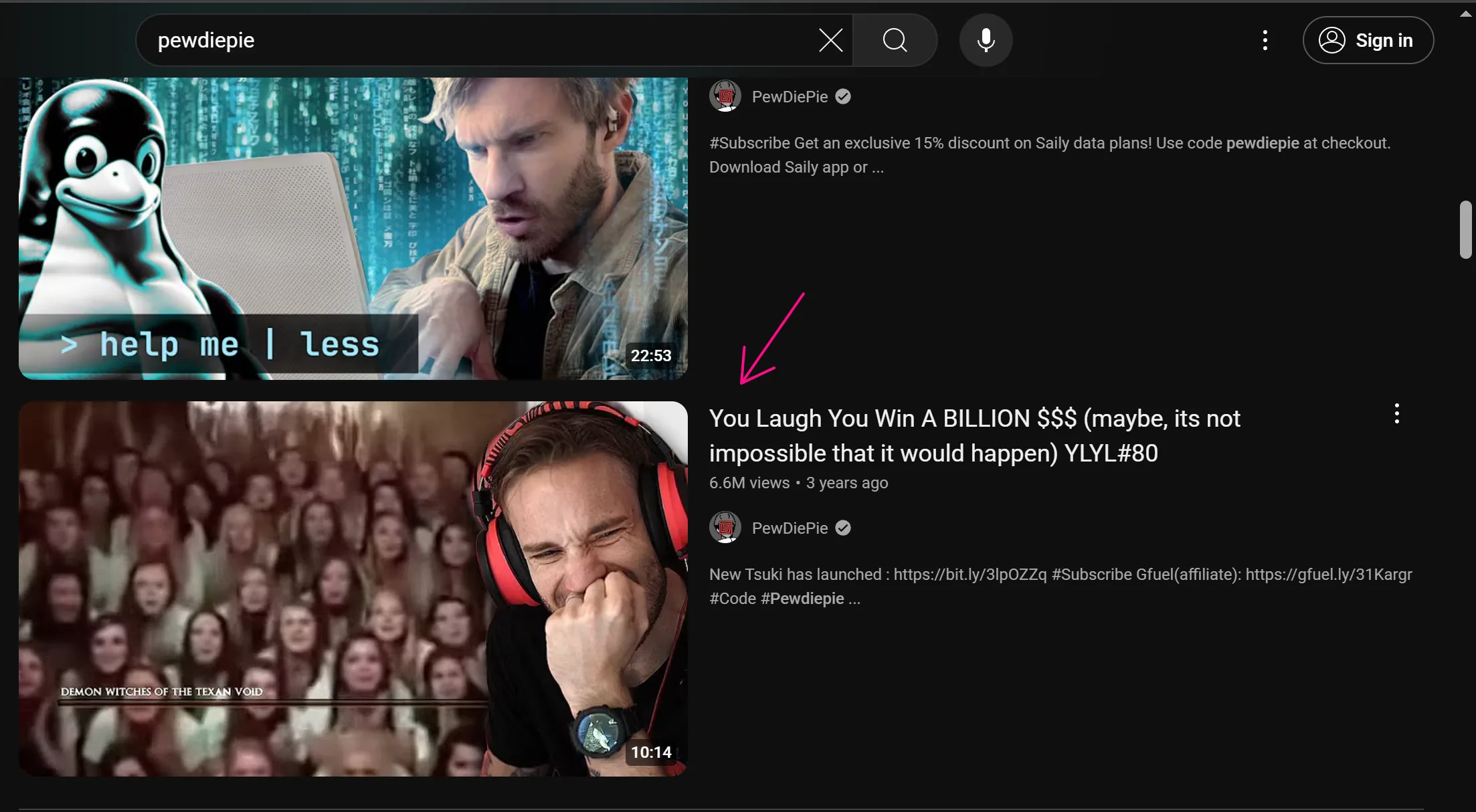
You want to use the node in a script to check if the desired video has appeared on YouTube. If it has, the process will stop and click on that video; if not, it will perform the page scroll action a few more times.
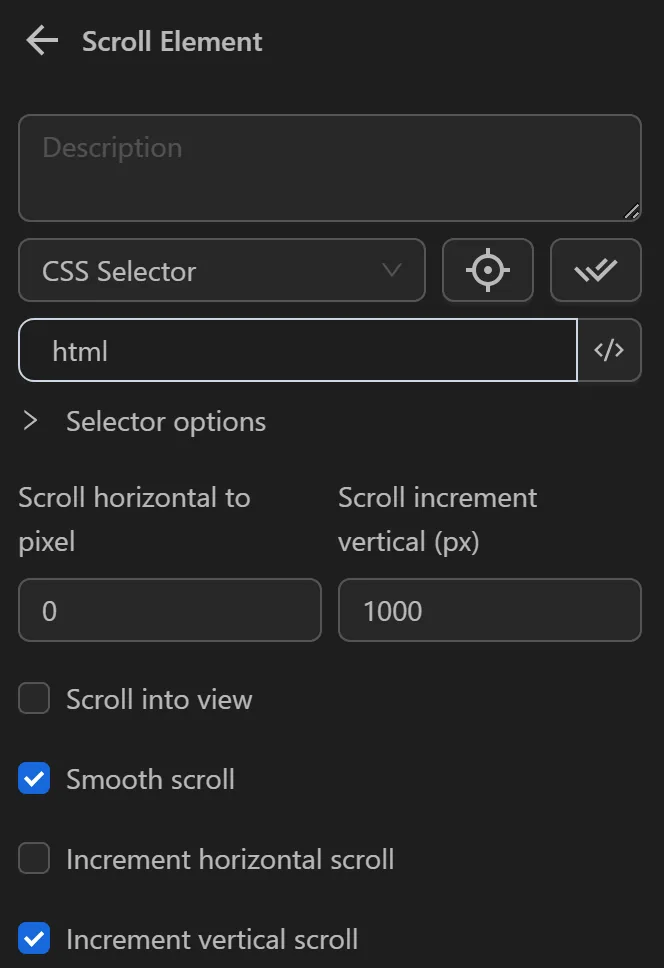
First, you will configure the Scroll element node to load more videos, as YouTube only displays a few videos initially and loads more when scrolling down.
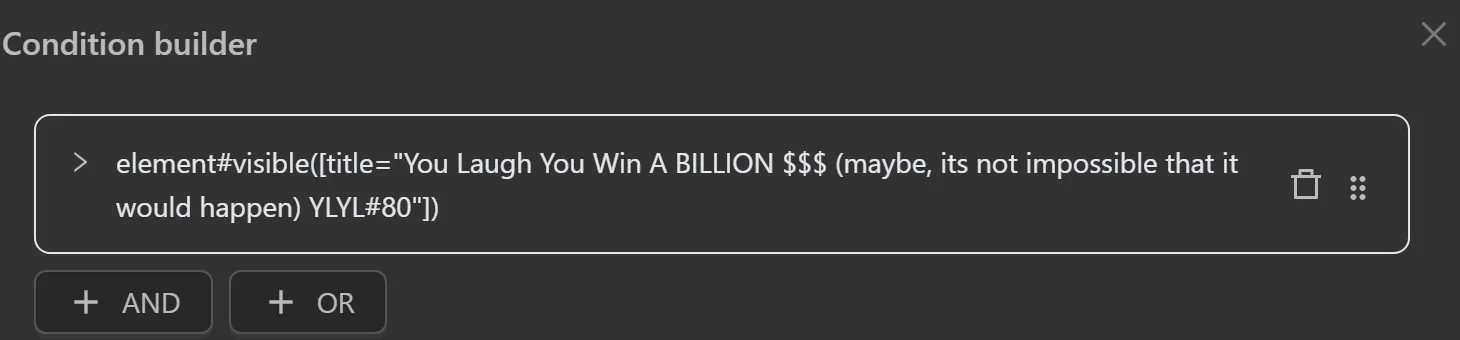
Then, you will configure the While Loop node to check if the video you want to click has appeared. Here you will select the Element visible option and paste the selector of the element containing the desired video. If the video appears, the process will proceed with the nodes connected to the first output. If the video is not present, it will proceed with the nodes connected to the Fallback output.
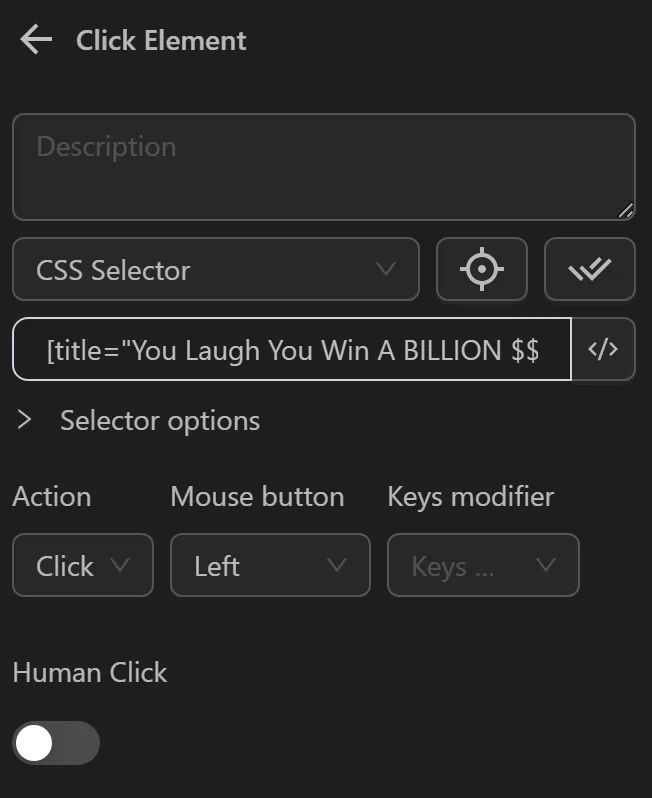
Next, you will configure the Click element node to click on the video when it appears.
Finally, you will configure the Repeat Task node to scroll 3 more times if the video does not exist.
The node cluster will look like this:
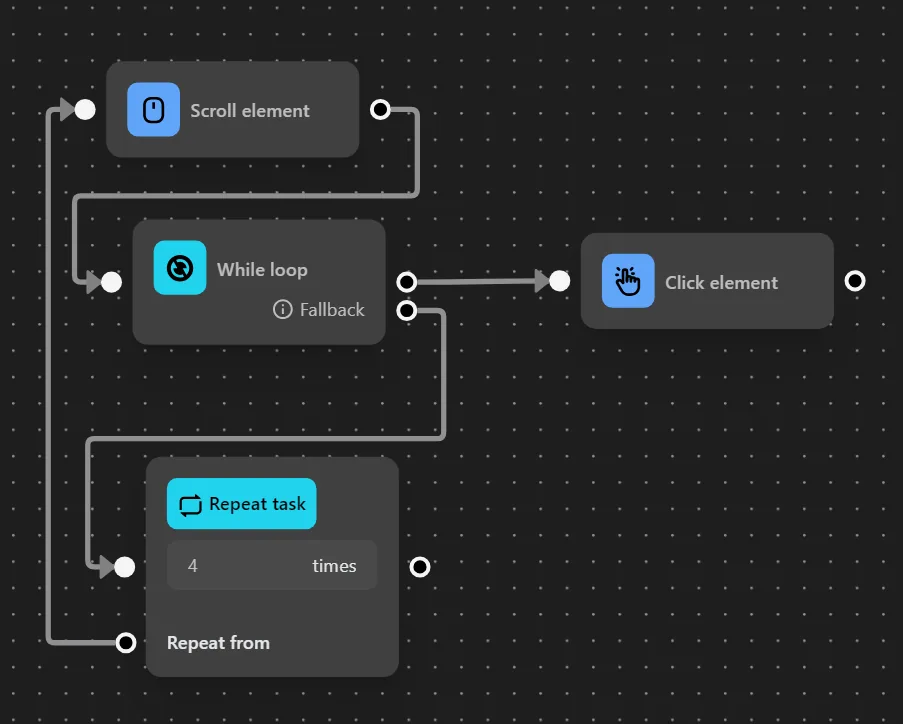
When running this node cluster, since the video has appeared, the process clicks on that video.