
Bulk Import Solflare Wallets in Omnilogin
This tool automates importing multiple Solflare wallets into browser profiles using seed phrases. It supports multi-threaded parallel processing and detailed status logging. For creating new wallets, see Create Solflare Wallet.
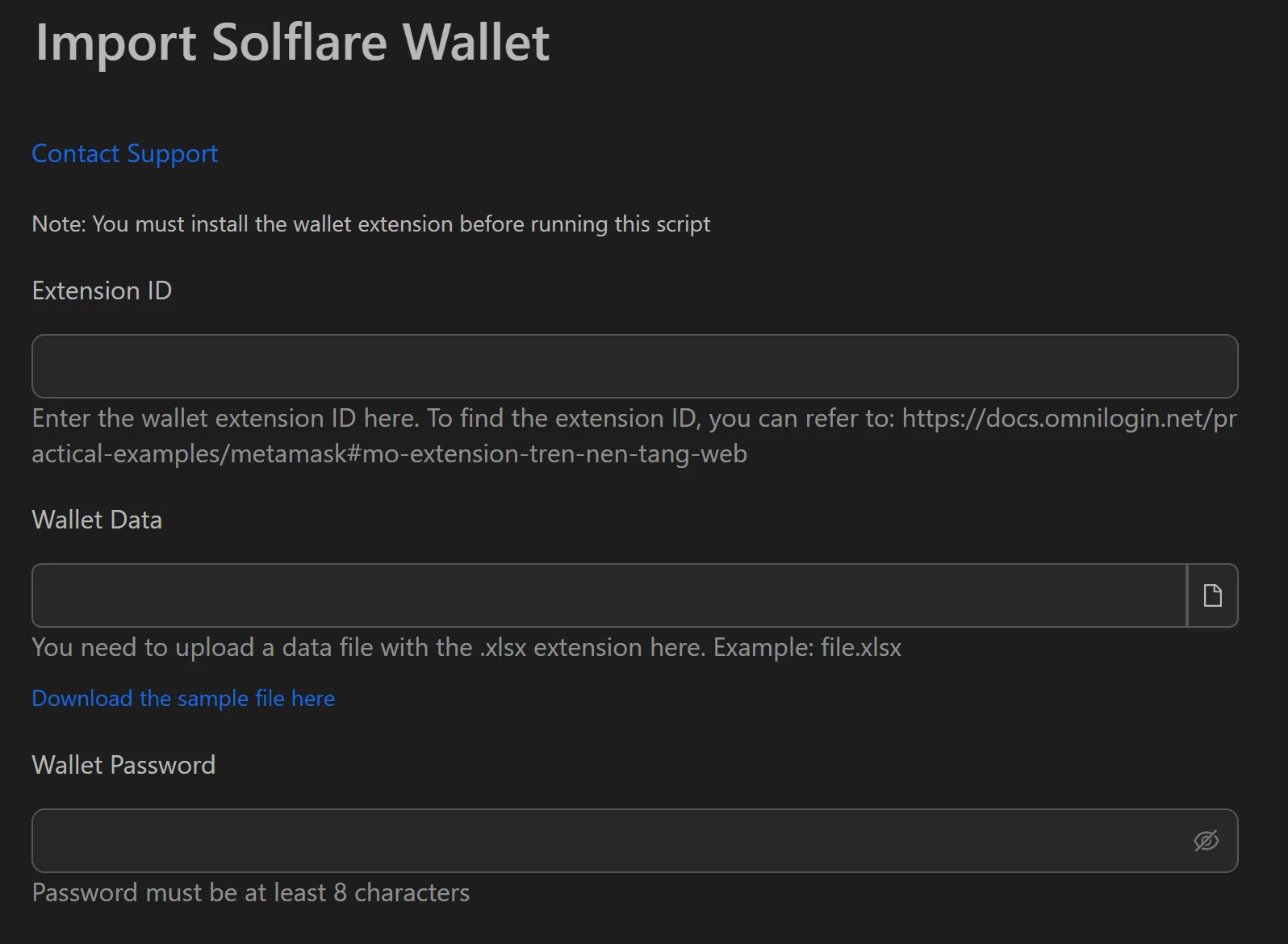
How to Import Solflare Wallets in Bulk
- Install the Solflare extension in each target browser profile.
- Prepare an
.xlsxfile with seed phrases for your Solana wallets. - Open the Solflare import workflow in Omnilogin.
- Set Number of concurrent profiles (e.g., 20-30 threads).
- Provide the path to the
.xlsxfile. - Set the wallet password.
- Click Run to start.
How the Automation Works
- Reads the seed phrase from the input file.
- Launches the browser with the Solflare extension.
- Navigates to the wallet recovery page.
- Pastes the seed phrase into the required field.
- Sets the pre-defined password.
- Confirms and moves to the next wallet.
Features
- Multi-threaded import -- 20-30 parallel threads reduce 100-wallet import from 75 minutes to 5-10 minutes
- Status logging -- each wallet shows
SuccessorFailurewith profile number and seed phrase for easy debugging - 100% automated -- eliminates manual errors across the entire workflow
- Simple input format --
.xlsxfile, one wallet per row
Use Cases
- Solana airdrop campaigns -- prepare hundreds of wallets across profiles in minutes, ready for swap/lend/borrow interactions
- NFT minting -- pre-load whitelisted wallets before mint time; switch between ready wallets instantly when the mint starts
- Portfolio management -- quickly load any wallet into the browser for checking balances or executing transactions
Related: Import Phantom for another Solana wallet | Import MetaMask for EVM chains.