
Read Mail via OAuth2
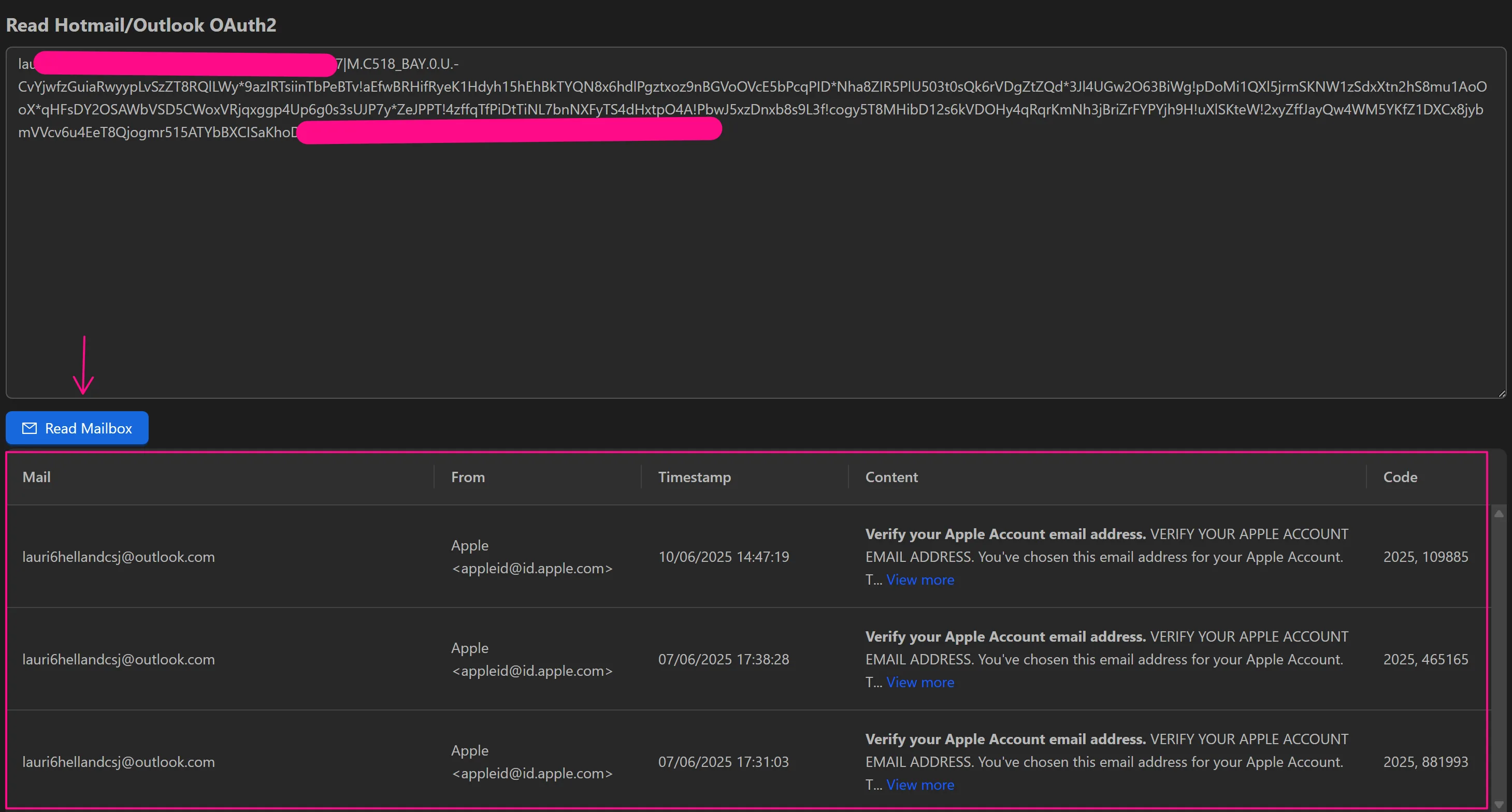
The Read Mail OAuth2 feature reads emails from Hotmail/Outlook accounts using OAuth2 authentication. Provide credentials in the format email|password|refresh_token|client_id to access the inbox.
The feature returns:
- Sender address - Who sent the email
- Send time - When the email was sent
- Message content - The full email body
- Verification code - Any code found within the email (useful for 2FA or account verification)
When to Use
- Account verification - Automatically retrieve verification codes sent to Hotmail/Outlook addresses.
- Email monitoring - Check for specific emails during automated workflows.
- Data extraction - Pull information from emails for use in subsequent workflow steps.