
Stop Loop Block
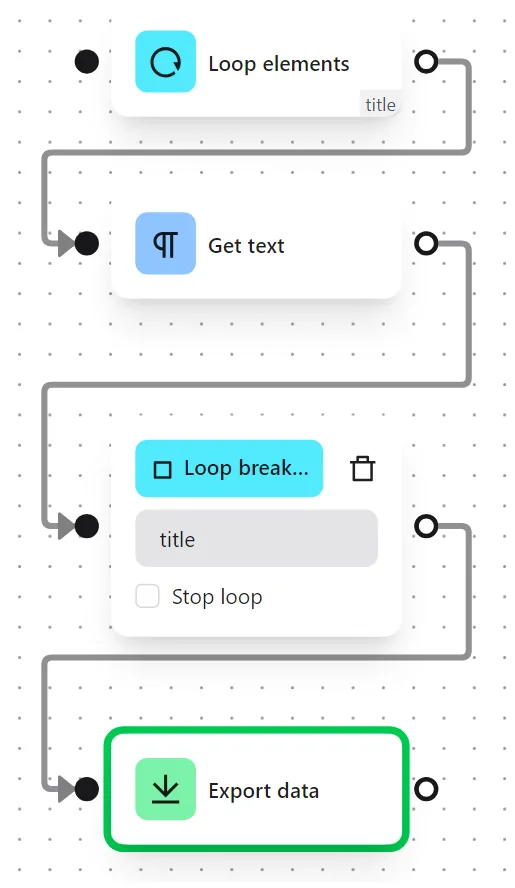
The Stop Loop block exits a running loop and continues the workflow with the nodes connected to the Stop Loop output. Use it to define what happens after all iterations of a loop are complete, or to break out of a loop early.
Loop ID
Enter the Loop ID of the loop you want to stop. This must match the ID you assigned in the corresponding Loop Data or Loop Elements block.
Stop Loop Checkbox
When this checkbox is selected, the loop terminates immediately when execution reaches this node, regardless of remaining iterations. The workflow then continues with the nodes connected to the output.
When to Use Stop Loop
- After a loop completes - Connect this block to the loop's final step to define what happens next (e.g., export collected data).
- Early exit - Combine with a
Conditionsblock inside the loop to stop early when a specific condition is met.
Tips
- Every loop should have a corresponding Stop Loop block to ensure the workflow continues properly after the loop ends.
- If you have nested loops, make sure each Stop Loop references the correct Loop ID.