
Automation Logs
The Logs section displays a history of all executed automation scenarios. View execution details, check profile statuses (success or error), review output data, and rerun or delete past runs.
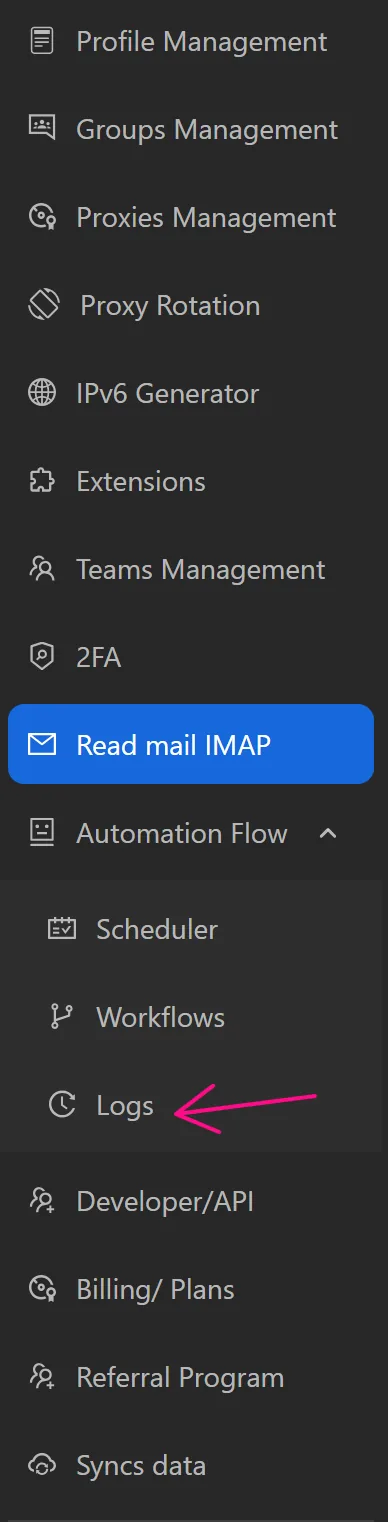
View Scenario Details
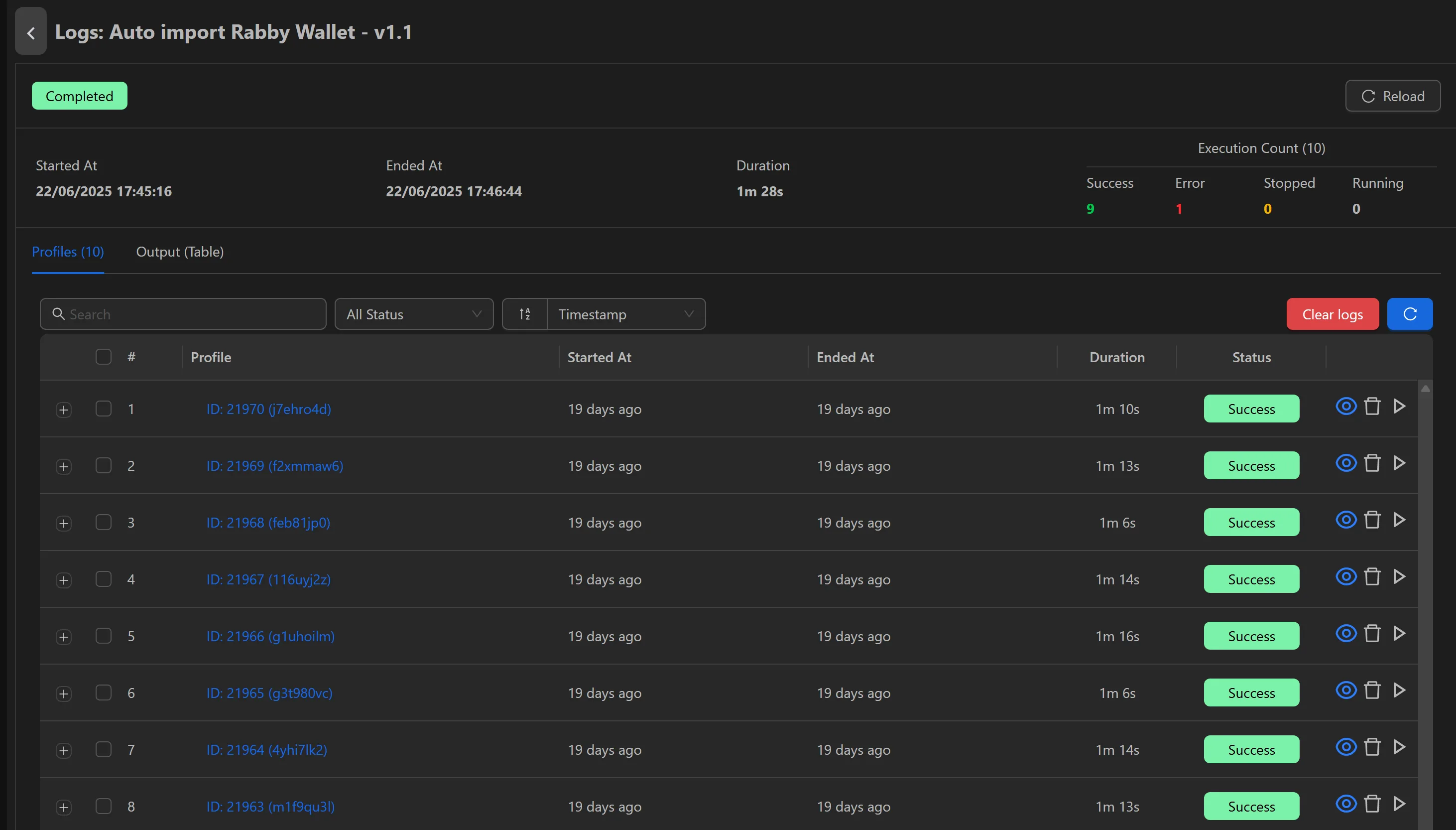
To view details of executed scenarios, click the eye icon at the end of a scenario.

View start time, end time, total run duration, successful profiles, errored profiles, stopped profiles, and running profiles.
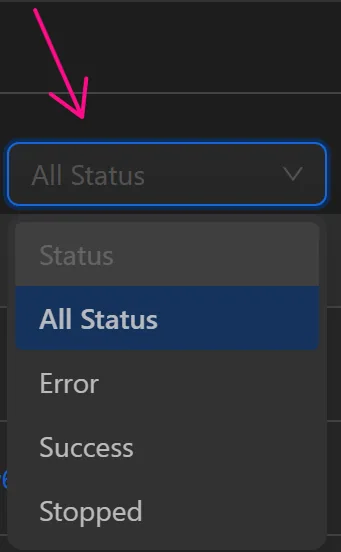
Filter profiles by errors, successes, or stopped status.
Rerun profiles if needed.

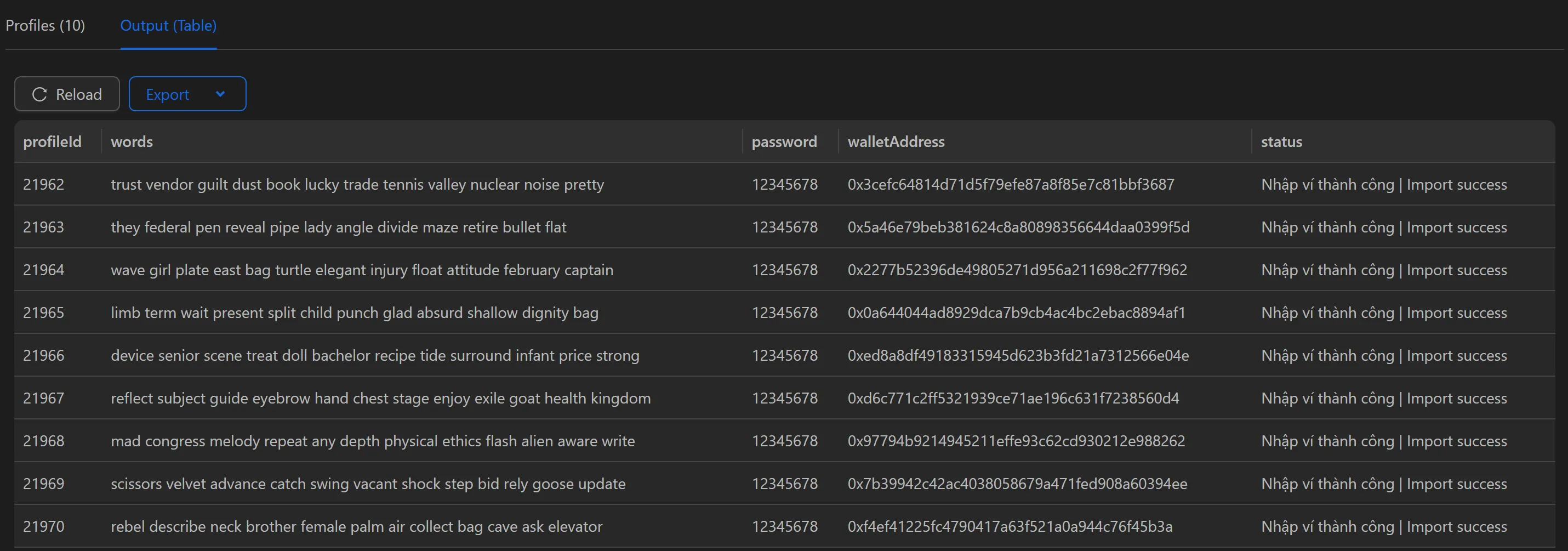
Switch to the Output (table) tab to view data inserted into tables during the workflow, avoiding the need to export to a file.

Delete Selected Logs
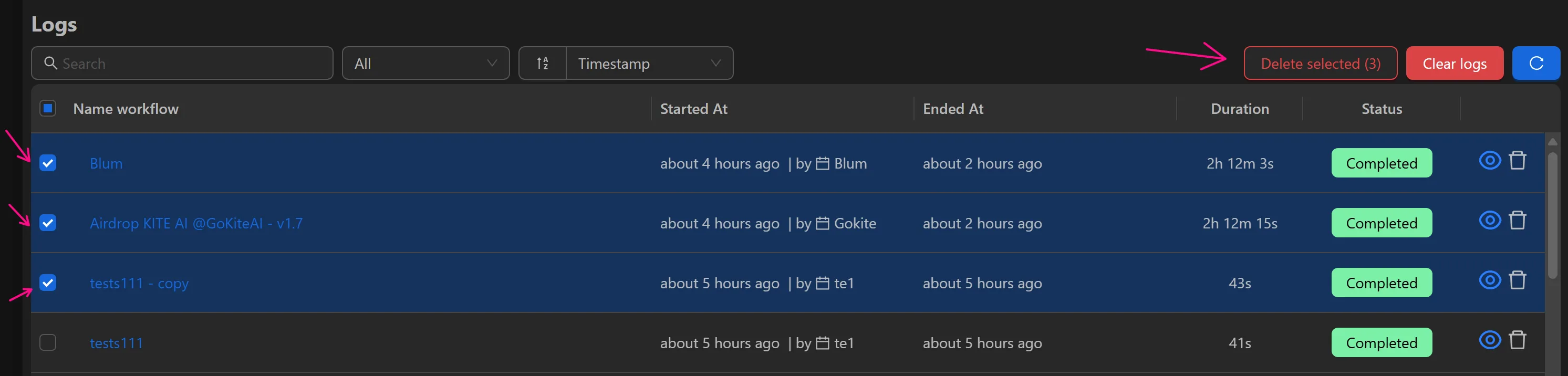
Remove selected logs by checking the scenarios and clicking Delete Selected.
Delete All Logs
Delete all logs by clicking Delete All Logs.
