
Create TikTok Accounts in Bulk with Omnilogin
Omnilogin's TikTok account creation tool automates registration using Hotmail or Gmail. It handles email verification via IMAP, solves CAPTCHAs automatically or manually, and saves all account data to file.
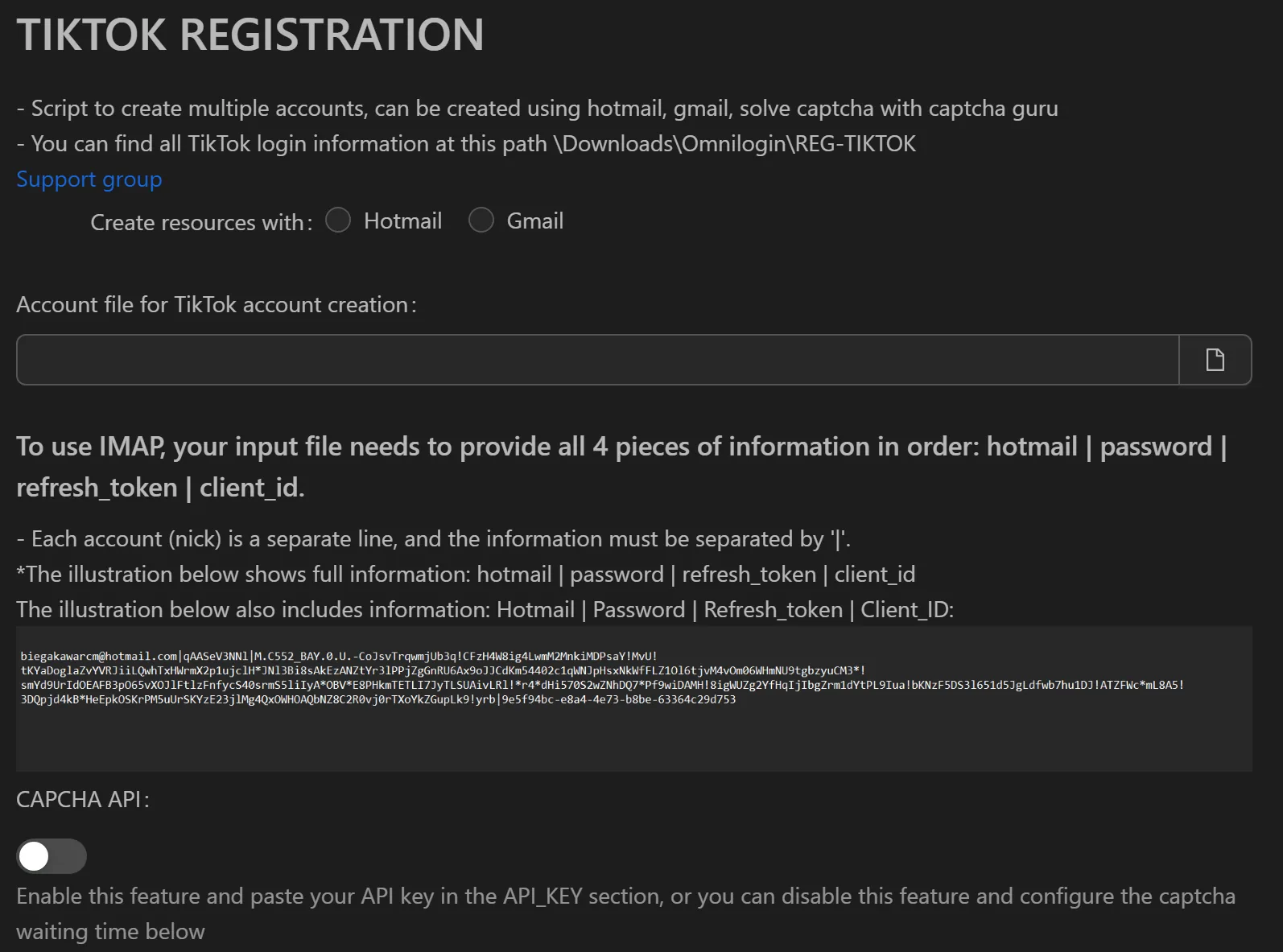
How to Create TikTok Accounts in Bulk
- Prepare email accounts in format:
email|password|refresh_token|client_id(one per line). - Open the TikTok creation tool in Omnilogin.
- Choose registration method: Hotmail or Gmail.
- (Optional) Enter a CAPTCHA API key (e.g., Captcha Guru) for automatic solving. Set wait time as fixed or random range.
- Click Run. The tool reads verification codes via IMAP and completes registration.
- Accounts are saved to the output folder (e.g.,
\Downloads\Omnilogin\REG-TIKTOK).
Key Features
- Hotmail and Gmail support -- register using IMAP for automatic email verification
- Auto CAPTCHA solving -- integrate third-party API for hands-free solving; configurable wait times (fixed or random) for human-like behavior
- Manual CAPTCHA mode -- solve CAPTCHAs on screen if no API key is configured; all other steps remain automated
- Organized output -- account credentials saved to file with username, password, and email
Use Cases
- Content seeding -- create accounts for comment campaigns on product launch videos
- Market research -- use clean accounts (no history) to monitor niche trends and competitor content on the For You page
- Agency account management -- automate new account creation for multi-client TikTok management
Note: Use Omnilogin browser profiles with separate proxies per account for maximum safety. See also X (Twitter) farming and Discord account management for multi-platform strategies.