
eBay Account Nurturing Tool in Omnilogin
Omnilogin's eBay account nurturing tool simulates natural buyer behavior to build account credibility. It automates searches, product views, and cart actions with randomized patterns that mimic real users.
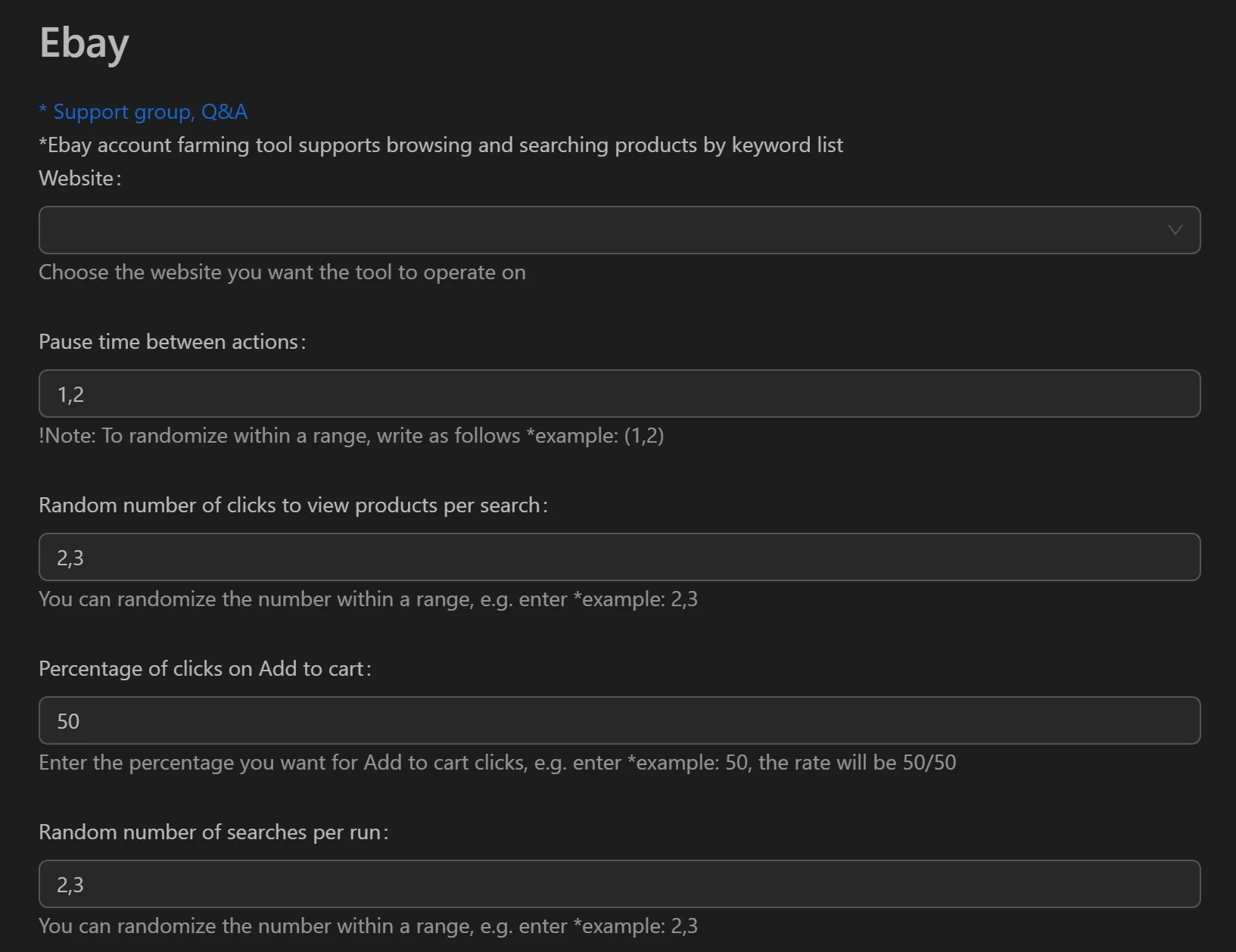
How to Nurture eBay Accounts
- Open the eBay nurturing tool in Omnilogin.
- Enter search keywords relevant to your niche.
- Configure action ranges:
- Number of keywords to search (e.g., 2-4)
- Number of products to view (e.g., 4-8)
- Add-to-cart probability (e.g., 50%)
- Set wait time ranges between actions for human-like pacing.
- Click Run to start the nurturing session.
Key Features
- Natural behavior chain -- searches keywords, views product details, and adds items to cart in logical sequence
- Randomized actions -- configurable ranges (not fixed numbers) for searches, views, and cart adds; no two sessions are identical
- Probability-based interactions -- set percentage chance for actions like adding to cart or Watchlist, mimicking human spontaneity
- Flexible scheduling -- run sessions over days or weeks to build consistent activity history
Use Cases
- New seller warm-up -- build positive activity history before listing products; helps accelerate selling limit increases for dropshipping or retail arbitrage
- Buyer account maintenance -- prevent new buyer accounts from being flagged when making purchases or winning auctions
- Dormant account reactivation -- maintain low-level activity on inactive accounts to prevent them from being marked dormant
Note: Use separate Omnilogin browser profiles with unique proxies per account. See also Etsy account nurturing and Amazon buyer account care for multi-platform account management.