
Gmail Account Nurturing Tool in Omnilogin
New Gmail accounts face a probationary period where Google monitors activity closely. This tool automates realistic account behavior to build trust and sender reputation at scale. See also: Autologin Gmail for automated Gmail login setup.
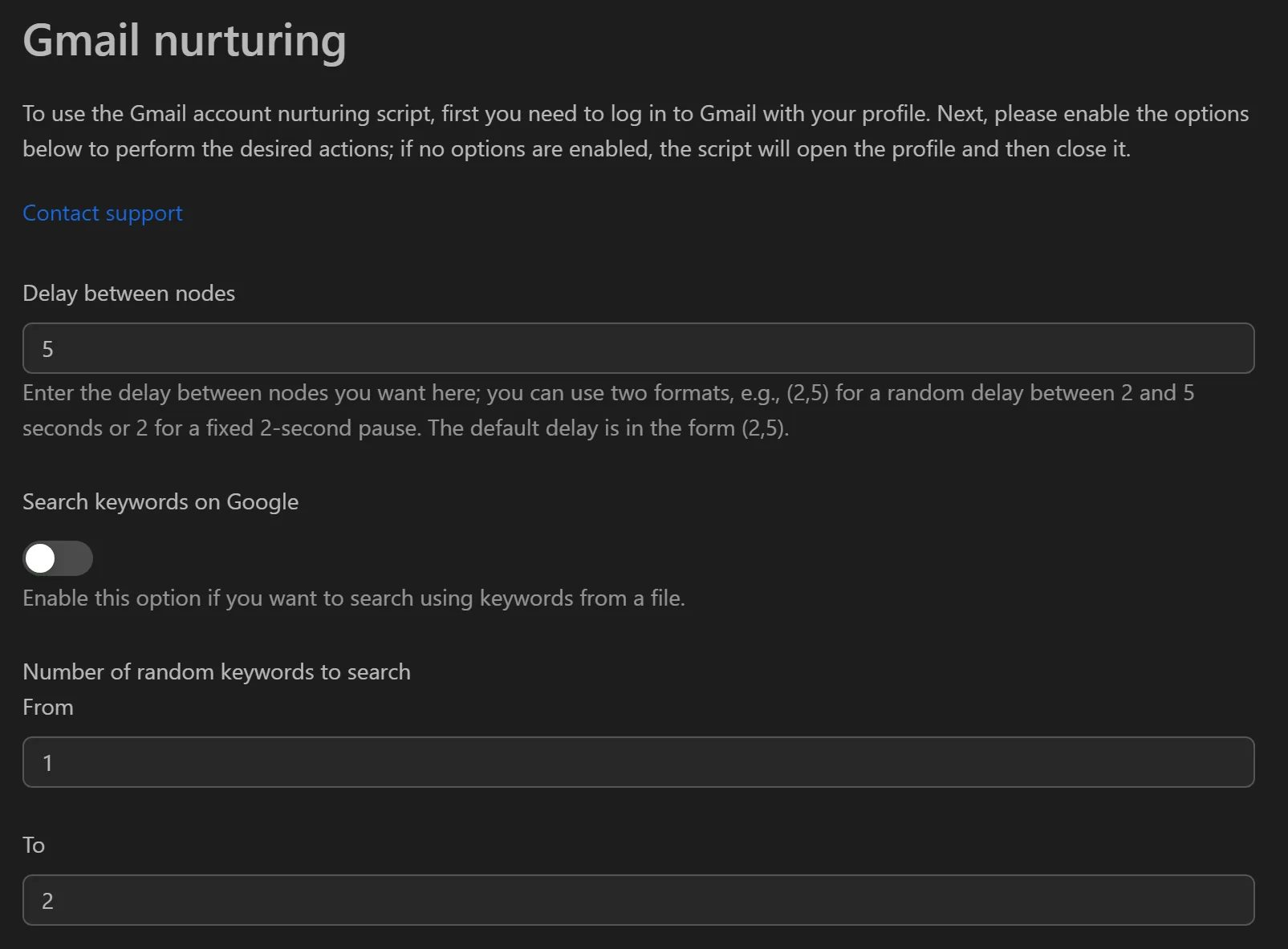
How to Set Up Gmail Nurturing
- Open the Gmail Account Nurturing workflow in Omnilogin.
- Configure your profile list and assign Gmail accounts.
- Set Wait time between nodes to a random range (e.g., 2-5 seconds) for human-like pacing.
- Prepare input files as needed:
- Email sending:
.xlsxfile with columnsmail,subject,content - Search keywords:
.txtfile with one keyword per line - YouTube comments: pre-written comment list
- Email sending:
- Enable the desired activity modules (see features below).
- Click Run to start the nurturing workflow.
Features
Identity Building
- Change personal info -- randomly updates name, date of birth, and gender
- Change profile picture -- selects a random avatar from the default list
- Enhance security -- auto-changes password and enables 2FA
Email Activity
- Read Mail -- logs in and reads a random number of inbox emails, signaling an active account
- Send Mail -- sends emails from a prepared
.xlsxfile with randomized volume, warming up sender reputation
Simulated Daily Activity
- Google Search -- searches keywords from a
.txtfile, then browses Google News or Google Maps - YouTube interaction -- searches, watches videos, and randomly likes or comments
- Google Drive -- uploads random files to simulate work/storage behavior
Randomization for Detection Avoidance
- Random wait times between actions (configurable range)
- Random number of actions per category (e.g., 1-2 emails, 1-3 searches)
- No two workflow runs are identical
Use Cases
- Account creation pipelines -- nurtured accounts pass platform verification more reliably when registering on social networks, exchanges, or forums
- Email marketing warm-up -- build sender reputation before campaigns to improve Primary Inbox delivery
- Airdrop/whitelist preparation -- well-aged accounts bypass clone-detection filters
- YouTube channel support -- use nurtured accounts for authentic-looking engagement on satellite channels
Note: Combine with Keep Running profiles to maintain long-term account health.